State Management in Flutter: Complete Guide with Provider
Introduction to State Management in Flutter
In Flutter, state refers to any data that can change during the lifecycle of an application.
Examples of State:
- Counter value in a counter app
- User login status
- Theme (dark/light mode)
- Shopping cart items
Why State Management is Important?
Without proper state management:
- UI becomes inconsistent
- Code becomes unmaintainable
- Performance issues occur
Types of State in Flutter
1. Ephemeral State (Local State)
- Exists within a single widget
- Managed using
setState()
Example:
int counter = 0;
2. App State (Global State)
- Shared across multiple widgets
- Requires structured management
Problems with setState()
Using setState() works fine for small apps but becomes problematic when:
- App grows large
- Multiple widgets depend on same data
- State needs to be shared
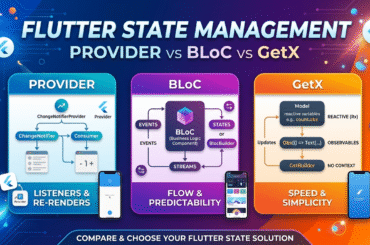
What is Provider in Flutter?
Provider is a popular state management solution that uses:
- Inherited Widgets
- ChangeNotifier
It helps:
- Manage global state
- Separate business logic from UI
- Improve scalability
Advantages of Provider
- Simple and easy to learn
- Officially recommended by Flutter team
- Efficient rebuild mechanism
- Clean architecture
Step-by-Step: Using Provider in Flutter
Step 1: Add Dependency
dependencies:
  flutter:
    sdk: flutter
  cupertino_icons: ^1.0.8
  provider: ^6.0.0
Step 2: Create a Model (State Class)
import 'package:flutter/material.dart';

class CounterModel extends ChangeNotifier {
  int _count = 0;

  int get count => _count;

  void increment() {
    _count++;
    notifyListeners(); // Notifies UI
  }
}
Step 3: Provide the State
Wrap your app with ChangeNotifierProvider:
import 'package:flutter/material.dart';
import 'package:provider/provider.dart';

import 'modal/CounterModel.dart';


void main() {
  runApp(
    ChangeNotifierProvider(
      create: (_) => CounterModel(),
      child: MyApp(),
    ),
  );
}
Step 4: Access State in UI
Using Consumer
Consumer<CounterModel>(
  builder: (context, counter, child) {
    return Text(
      "Count: ${counter.count}",
      style: TextStyle(fontSize: 24),
    );
  },
),
Step 5: Update State
FloatingActionButton(
  onPressed: () {
    Provider.of<CounterModel>(context, listen: false).increment();
  },
  child: Icon(Icons.add),
),
Complete Real-Time Example: Counter App with Provider
import 'package:flutter/material.dart';
import 'package:provider/provider.dart';

// MODEL
class CounterModel extends ChangeNotifier {
  int _count = 0;

  int get count => _count;

  void increment() {
    _count++;
    notifyListeners();
  }
}

// MAIN
void main() {
  runApp(
    ChangeNotifierProvider(
      create: (_) => CounterModel(),
      child: MyApp(),
    ),
  );
}

// APP
class MyApp extends StatelessWidget {
  @override
  Widget build(BuildContext context) {
    return MaterialApp(
      home: CounterScreen(),
    );
  }
}

// UI SCREEN
class CounterScreen extends StatelessWidget {
  @override
  Widget build(BuildContext context) {

    return Scaffold(
      appBar: AppBar(title: Text("Provider Example")),
      body: Center(
        child: Consumer<CounterModel>(
          builder: (context, counter, child) {
            return Text(
              "Count: ${counter.count}",
              style: TextStyle(fontSize: 24),
            );
          },
        ),
      ),
      floatingActionButton: FloatingActionButton(
        onPressed: () {
          Provider.of<CounterModel>(context, listen: false).increment();
        },
        child: Icon(Icons.add),
      ),
    );
  }
}
How Provider Works Internally
Flow:
User Action → Method Call → notifyListeners()
↓
Provider Notifies Widgets
↓
Only Dependent Widgets Rebuild
Key Provider Concepts
1. ChangeNotifier
- Holds state
- Notifies listeners
2. ChangeNotifierProvider
- Provides state to widget tree
3. Consumer
- Listens to changes
- Rebuilds UI
4. Provider.of()
- Access state directly
Real-World Scenario: Shopping Cart
Model Example
class CartModel extends ChangeNotifier {
  List<String> _items = [];

  List<String> get items => _items;

  void addItem(String item) {
    _items.add(item);
    notifyListeners();
  }
}
Common Mistakes
❌ Rebuilding entire UI unnecessarily
❌ Using Provider.of with listen: true everywhere
❌ Not separating logic from U
Provider vs setState()
| Feature | setState() | Provider |
|---|---|---|
| Scope | Local | Global |
| Scalability | Low | High |
| Performance | Limited | Optimized |
| Code Structure | Simple | Clean & Maintainable |
Best Practices
- Keep models separate from UI
- Use multiple providers if needed
- Avoid deeply nested providers
- Use MultiProvider for large apps
MultiProvider Example
MultiProvider(
  providers: [
    ChangeNotifierProvider(create: (_) => CounterModel()),
    ChangeNotifierProvider(create: (_) => CartModel()),
  ],
  child: MyApp(),
)
Conclusion
State management is the backbone of any Flutter application. While setState() is useful for small apps, Provider offers a scalable and maintainable solution for real-world applications.
Key Takeaways
- State defines dynamic data in Flutter
- Provider simplifies global state management
- notifyListeners() triggers UI updates
- Use Consumer and Selector for optimization
FAQ
Q1: Is Provider best for all apps?
Provider is great for small to medium apps. Larger apps may use Riverpod or Bloc.
Q2: Does Provider improve performance?
Yes, it rebuilds only necessary widgets.