Introduction to Graph, Terminology, and Representation: A Complete Beginner’s Guide with Real-Time Examples
Introduction to Graph, Terminology, and Representation
In the modern world of computer science, graphs are everywhere.
When you use Google Maps to find the shortest route, browse Facebook friend suggestions, or when Netflix recommends a movie based on your watch history — all these systems rely heavily on graph data structures.
Despite sounding mathematical, graphs are one of the most practical and widely used concepts in programming and software development.
This blog will help you understand:
- What is a graph?
- Why graphs are important
- Basic graph terminology
- Types of graph representation
- Real-world examples
- Scenario-based explanation
Let’s dive in.
What is a Graph?
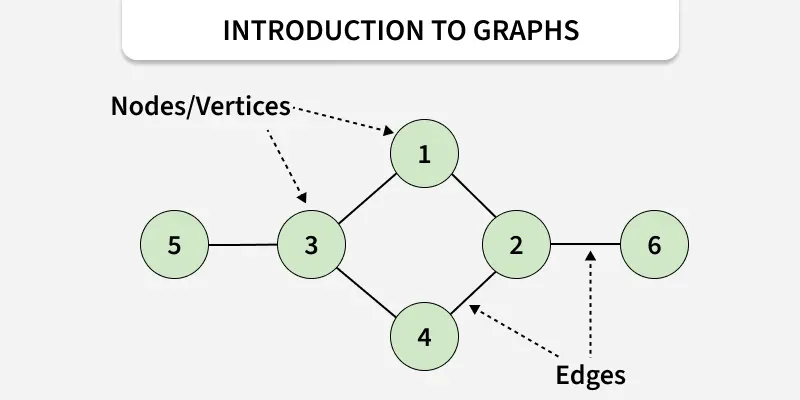
A graph is a non-linear data structure consisting of:
- Vertices (Nodes) → Represent entities
- Edges → Represent relationships between entities
It is written as:
G = (V, E)
Where:
- V = Set of vertices
- E = Set of edges
Simple Definition
A graph is a way to show how different objects are connected.
Real-Time Example of Graph
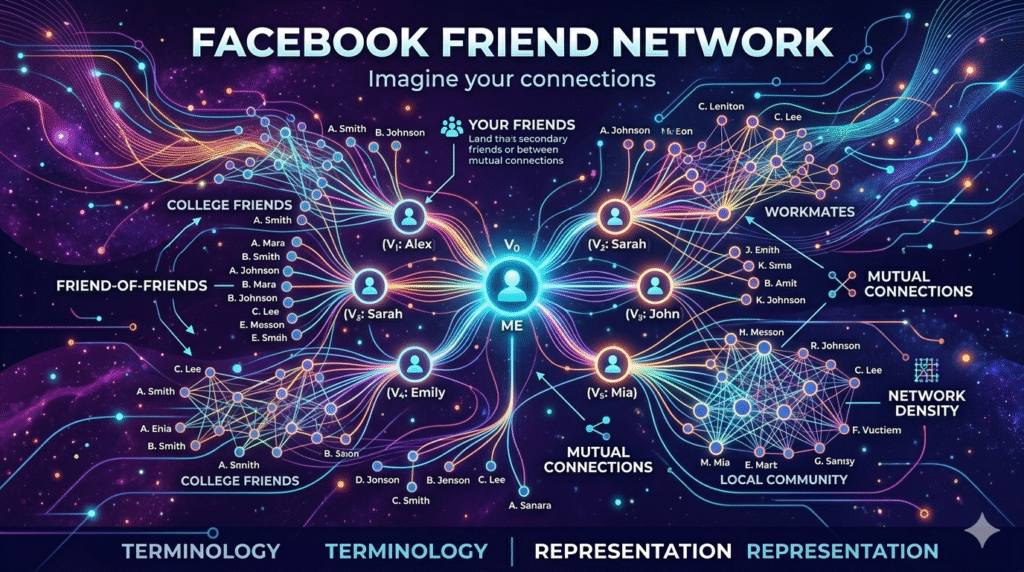
Example: Facebook Friend Network
Imagine you are on Facebook.
- You are connected to your friends.
- Your friends are connected to their friends.
This creates a network like this:
Ali —- Ahmed
| |
Sara —- Hamza
Here:
- People = Vertices
- Friendships = Edges
This is a graph.
Facebook uses graph structures to:
- Suggest friends
- Identify mutual connections
- Recommend groups/pages
Why Are Graphs Important?
Graphs are used in many real-world applications.
1. Google Maps
Finding shortest routes between cities.
2. Social Media
Friend recommendations and connections.
3. Computer Networks
Representing connected devices.
4. Web Search Engines
Web pages linked together.
5. Airline Systems
Flight route optimization.
Basic Graph Terminology
Understanding graph terminology is essential before learning advanced graph algorithms.
1. Vertex (Node)
A vertex is an individual element in a graph.
Example:
In a university management system:
- Student
- Teacher
- Course
Each can be represented as a vertex.
2. Edge
An edge connects two vertices.
Example:
If Student A enrolls in Course B, an edge connects them.
3. Adjacent Vertices
Two vertices connected directly by an edge.
Example:
If A is connected to B, they are adjacent.
4. Degree of Vertex
The number of edges connected to a vertex.
Example:
If node A connects to B, C, and D
Degree of A = 3
5. Path
A sequence of vertices connected by edges.
Example:
A → B → C → D
This is a path.
6. Cycle
A path that starts and ends at the same vertex.
Example:
A → B → C → A
This forms a cycle.
7. Connected Graph
A graph where every vertex is reachable from every other vertex.
8. Disconnected Graph
A graph where some vertices are not connected.
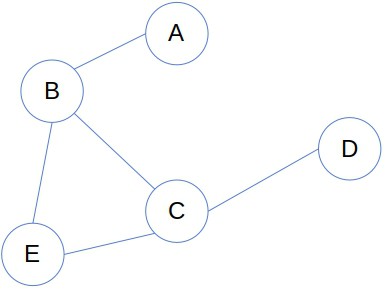
Types of Graphs
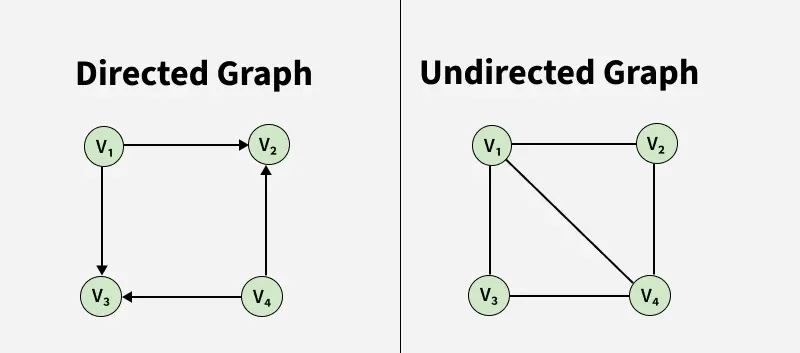
1. Directed Graph (Digraph)
Edges have direction.
Example:
Instagram follow system
If Ali follows Ahmed, it doesn’t mean Ahmed follows Ali.
Representation:
Ali → Ahmed
2. Undirected Graph
Edges have no direction.
Example:
Facebook friendship
If Ali is Ahmed’s friend, Ahmed is also Ali’s friend.
Representation:
Ali — Ahmed
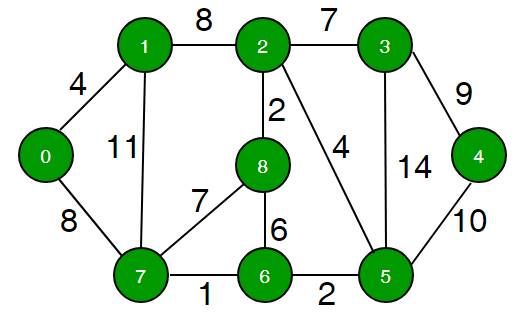
3. Weighted Graph
Edges contain weights (cost, distance, time).
Example:
Google Maps routes
Lahore –(50km)– Okara
4. Unweighted Graph
Edges have no values.
Only connectivity matters.
Scenario-Based Example
Scenario: University Bus Route System
Suppose a university provides transport.
The buses travel between:
- Campus
- Hostel
- Library
- Sports Complex
- Cafeteria
Graph representation:
Campus —- Hostel
| |
Library — Cafeteria
|
Sports Complex
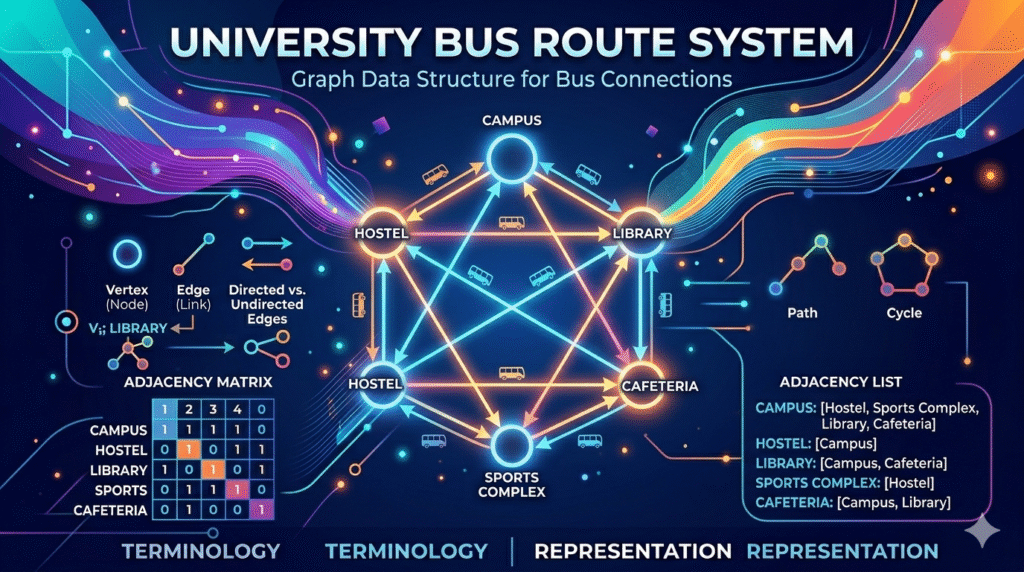
Here:
Vertices: Locations
Edges: Routes between locations
If distance is added:
- Campus to Hostel = 2 km
- Hostel to Cafeteria = 1 km
Then it becomes a weighted graph.
This helps in:
- Finding shortest route
- Fuel optimization
- Scheduling buses
Graph Representation
A graph can be represented in memory mainly in two ways:
- Adjacency Matrix
- Adjacency List
1. Adjacency Matrix
An adjacency matrix is a 2D array used to represent a graph.
If there is an edge between two vertices, mark 1, otherwise 0.
Example
Graph:
A — B
| |
C — D
Adjacency Matrix:
| A | B | C | D | |
|---|---|---|---|---|
| A | 0 | 1 | 1 | 0 |
| B | 1 | 0 | 0 | 1 |
| C | 1 | 0 | 0 | 1 |
| D | 0 | 1 | 1 | 0 |
Advantages
✔ Easy to implement
✔ Fast edge lookup
Disadvantages
✘ Wastes memory for sparse graphs
2. Adjacency List
Stores each vertex and its connected vertices.
Example:
A → B, C
B → A, D
C → A, D
D → B, C
Advantages
✔ Memory efficient
✔ Best for sparse graphs
Disadvantages
✘ Slower edge lookup
Adjacency Matrix vs Adjacency List
| Feature | Adjacency Matrix | Adjacency List |
|---|---|---|
| Memory Usage | High | Low |
| Edge Search | Fast | Moderate |
| Best For | Dense Graphs | Sparse Graphs |
Practical Programming Example
Graph Representation in C++
Adjacency List Example
#include <iostream>
#include <vector>
using namespace std;

int main() {
    vector<int> graph[4];

    graph[0].push_back(1);
    graph[0].push_back(2);

    graph[1].push_back(0);
    graph[1].push_back(3);

    for(int i = 0; i < 4; i++) {
        cout << "Node " << i << ": ";
        for(int neighbor : graph[i])
            cout << neighbor << " ";
        cout << endl;
    }

    return 0;
}
OUTPUT:
Node 0: 1 2
Node 1: 0 3
Node 2:
Node 3:
Common Interview Question
Why use graphs instead of arrays?
Arrays store sequential data.
Graphs store relationships.
Example:
If you want to model:
- Road networks
- Social connections
- Internet links
Graphs are the ideal choice.
Real-Life Scenario: Food Delivery App
Consider Foodpanda.
Graph can represent:
- Restaurants
- Delivery riders
- Customers
- Roads
The app finds:
- Nearest rider
- Shortest route
- Delivery optimization
Without graph algorithms, such systems would be inefficient.
Key Takeaways
Graphs are powerful data structures used to represent relationships.
You learned:
✔ What a graph is
✔ Graph terminology
✔ Types of graphs
✔ Graph representation methods
✔ Real-world applications
Mastering graphs is essential for:
- Data Structures
- Algorithms
- Competitive Programming
- Software Development
Final Thoughts
Graphs are not just academic concepts.
They solve real-world problems every second — from navigation apps to social media recommendations.
If you are starting data structures, understanding graph basics is the foundation for advanced algorithms like:
- BFS
- DFS
- Dijkstra’s Algorithm
- Minimum Spanning Tree
Start with terminology and representation, and the rest becomes much easier.
Frequently Asked Questions (FAQs)
What is graph in data structure?
A graph is a non-linear data structure consisting of nodes and edges representing relationships.
What are the two main graph representations?
- Adjacency Matrix
- Adjacency List
Where are graphs used in real life?
Graphs are used in:
- Social media
- GPS navigation
- Network routing
- Recommendation systems
Which graph representation is memory efficient?
Adjacency List is more memory efficient.