
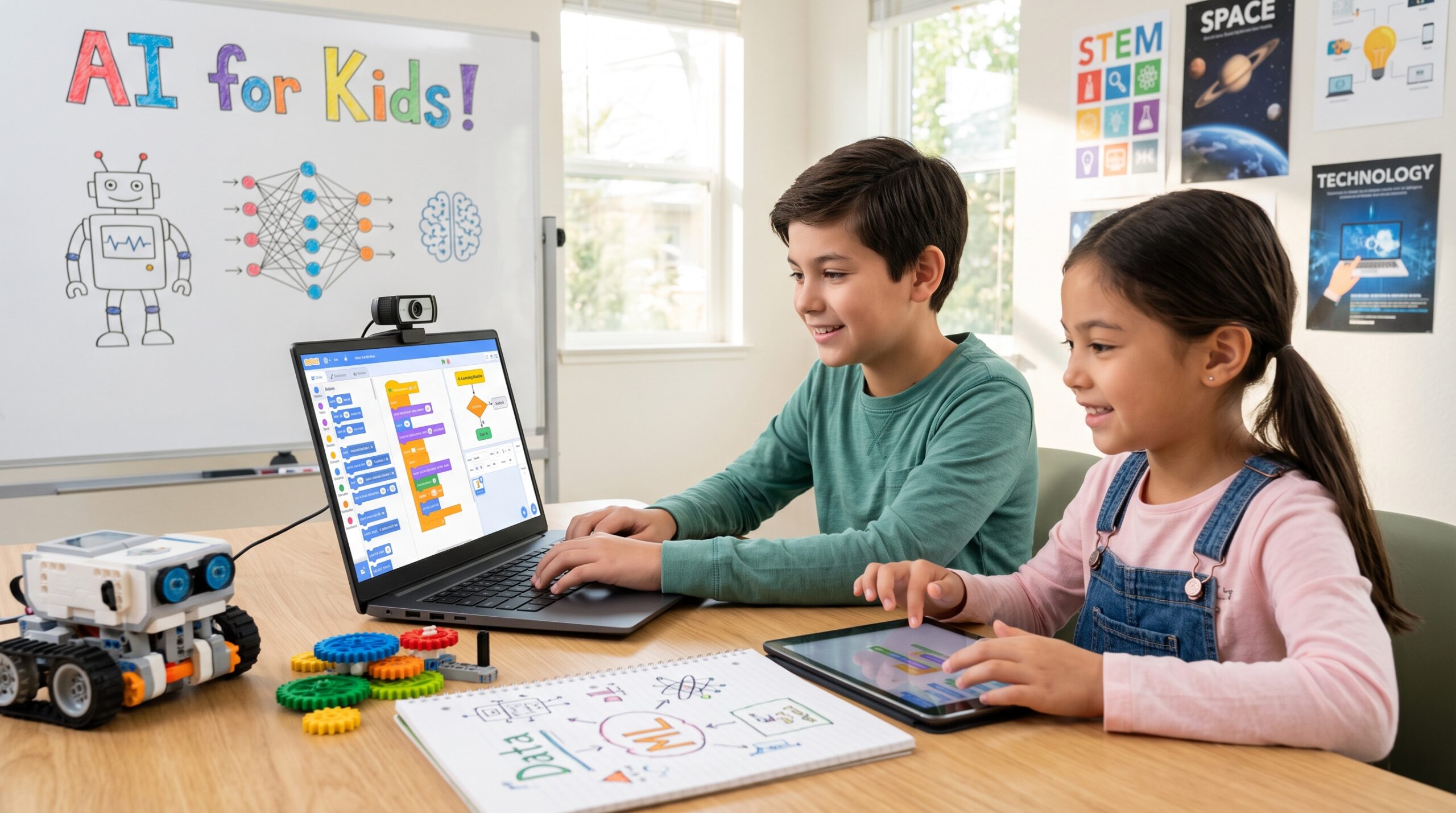
Understanding how kids can learn AI step by step is becoming essential as artificial intelligence moves from graduate computer science labs into everyday childhood technology. From video game matchmaking and facial recognition on tablets to voice assistants and streaming recommendations, AI shapes the digital landscape children interact with daily.
Yet for most parents and educators, introducing the subject feels daunting. Do kids need calculus or linear algebra? Do they need to master complex Python syntax first?
The answer is no. By leveraging North American K-12 STEM frameworks—specifically computational thinking, hands-on experimentation, and pattern recognition—kids ages 7 to 14 can master machine learning fundamentals without advanced mathematics. Here is the complete roadmap detailing how kids can learn AI step by step, taking young learners from curious digital consumers to empowered technology creators.
1. Demystifying the Core Concept: Traditional Coding vs. Machine Learning
Before touching any software, kids must understand the fundamental difference between standard computer programming and machine learning.
- Traditional Programming (Rule-Based): A human writes explicit rules. For instance: “If the user presses the spacebar, make the character jump.” If a scenario isn’t explicitly programmed, the computer cannot handle it.
- Artificial Intelligence & Machine Learning (Data-Driven): Instead of rules, the computer is given hundreds of examples (data). The computer looks for underlying patterns to figure out the rules on its own.
Machine learning learns patterns directly from data. Source: VectorMine / Getty Images
The “Cat vs. Dog” Thought Experiment:
“How do you know an animal is a dog? Is it because someone gave you a 500-page manual listing every dog’s ear shape, nose width, and paw size? No—you saw dozens of dogs in the park, in books, and on TV until your brain recognized the shared features. Machine learning works the exact same way: we feed the computer lots of pictures, and it learns to spot the pattern.”
2. The 4-Stage Learning Path: How Kids Can Learn AI Step by Step (Ages 7–14)
Teaching artificial intelligence for beginners works best when broken into age-appropriate developmental milestones aligned with standard K-12 STEM competencies.
Stage 1: Unplugged Games & Conceptual Play
Recommended for Ages 7–9 (Grades 2–4)
At this stage, avoid syntax and heavy screens. Focus on pattern recognition and basic logic:
- The “Robot Sorter” Game: Give your child a bin of mixed toys (blocks, toy cars, plastic animals). Ask them to sort them into two categories without speaking, and have you guess their sorting criteria. Then swap roles. This introduces the concept of classification and training data.
- Quick, Draw! (by Google): A fast, free web game where an AI tries to guess what the user is drawing in real time. It illustrates how neural networks identify doodles based on millions of past sketches.
Stage 2: Hands-On No-Code Model Training
Recommended for Ages 9–11 (Grades 4–6)
Introduce interactive training interfaces that require zero lines of code:
- Google Teachable Machine: Kids use their webcam or microphone to create image, sound, or pose classifiers. For example, they can train a model to recognize whether they are smiling or frowning, or whether they are holding a pencil or an eraser.
- Key Lesson: What happens if you only train the model with pictures of your face under bright light, and then turn the lights off? It fails. This demonstrates data quality, bias, and edge cases.
Stage 3: Block-Based AI Programming
Recommended for Ages 10–13 (Grades 5–7)
Bridge machine learning models with interactive logic:
- Machine Learning for Kids: A platform that lets students train models on text, numbers, or images, then import those models directly into Scratch.
- Hands-On Project: Create a “Smart Trash Can” game in Scratch. The player shows items to the webcam, and the AI model sorts them into recycling, compost, or landfill.
- MIT App Inventor: For mobile-oriented kids, App Inventor offers personal image classifier extensions to build simple Android or iOS apps.
Stage 4: Python & Generative AI Literacy
Recommended for Ages 12–14 (Grades 7–8+)
For middle schoolers ready for text-based languages:
- Basic Python via Google Colab: Introduce simple data scripts using libraries like pandas or turtle, shifting from block visual editors to syntax.
- Prompt Engineering & Critical Thinking: Teach middle schoolers how large language models (LLMs) work as prediction engines. Practice iterative prompting, fact-checking AI responses, and identifying hallucinations.
3. Essential Free Tools for Young AI Learners
To help children along their journey to learn AI step by step, these battle-tested educational tools provide accessible starting points:
| Tool | Best For | Age Group | Why It Works |
|---|---|---|---|
| Quick, Draw! | Fast interactive demonstration | Ages 7+ | Visually proves how algorithms learn pattern variations. |
| Teachable Machine | Zero-code machine learning models | Ages 8–14 | Uses webcam/mic; produces instant visual models in minutes. |
| Machine Learning for Kids | Scratch & Python integration | Ages 9–13 | Direct bridge between data training and visual block coding. |
| AI4K12 Guidelines | Curriculum mapping | Educators & Parents | Defines the 5 Big Ideas in AI developed by AAAI and CSTA. |
| Code.org: AI for Oceans | Environmental STEM integration | Ages 7–11 | Teaches classification, bias, and ocean cleaning in a gamified UI. |
4. Teaching Ethics, Privacy, and Responsible AI
A complete K-12 STEM education doesn’t just teach how tools work; it teaches when and how they should be used responsibly. As kids experiment with AI, integrate these foundational digital citizenship discussions:
- Algorithmic Bias: If an AI model is trained entirely on pictures of white cats, will it recognize a black cat? Use this simple metaphor to explain why training datasets must be fair, diverse, and comprehensive.
- Privacy & Personal Data: Emphasize that models learn from the data uploaded to them. Remind kids never to feed private family photos, home addresses, or passwords into online AI generators or chatbots.
- The “Co-Pilot” Mindset: Encourage children to view generative tools as creative brainstorming partners rather than homework shortcuts. Teach them to verify claims, question sources, and take pride in original thinking.
Getting Started This Weekend
You don’t need a semester-long curriculum to begin. Pick an afternoon, open a web browser, and try this 20-minute exercise:
- Head to Google Teachable Machine.
- Create two image classes: “Thumbs Up” and “Thumbs Down”.
- Record 50 frames of each gesture using your webcam.
- Click Train Model, test it live, and watch your child realize they just trained their first artificial intelligence system.