Non-Linear Data Structures (Trees): Concepts, Terminology & Traversal Algorithms
Table of Contents
- Introduction to Data Structures
- What are Non-Linear Data Structures?
- Introduction to Trees
- Key Terminology in Trees
- Types of Trees
- Tree Representation
- Tree Traversal Algorithms
- Depth First Traversal (DFS)
- Breadth First Traversal (BFS)
- Applications of Tree Data Structures
- Advantages & Disadvantages of Trees
- Real-World Scenario
- Conclusion
- FAQs
1. Introduction to Data Structures
Data structures are fundamental building blocks in computer science that allow efficient data storage, organization, and manipulation. They are broadly categorized into:
- Linear Data Structures (Arrays, Linked Lists, Stacks, Queues)
- Non-Linear Data Structures (Trees, Graphs)
This blog focuses on one of the most important non-linear structures: Trees.
2. What are Non-Linear Data Structures?
Unlike linear structures where elements are arranged sequentially, non-linear data structures organize data hierarchically or in interconnected ways.
Key Characteristics:
- Data elements are not stored sequentially
- Multiple relationships between elements
- Efficient for hierarchical data representation
Examples:
- Trees
- Graphs
3. Introduction to Trees
A Tree is a hierarchical data structure consisting of nodes connected by edges.
Basic Definition:
A tree is a collection of nodes where:
- One node is designated as the root
- Every node can have zero or more child nodes
- There are no cycles
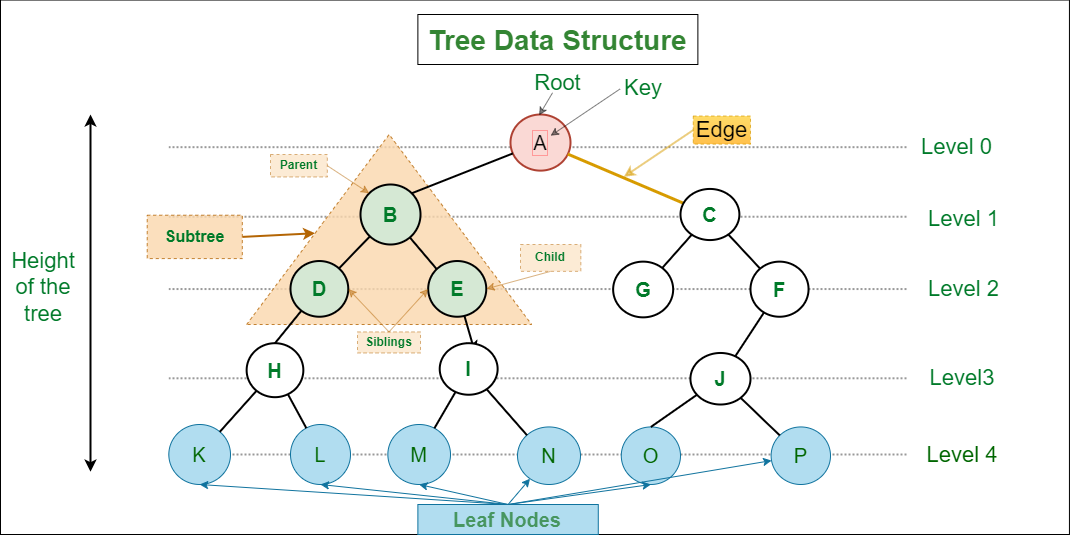
4. Key Terminology in Trees
Understanding tree terminology is critical:
- Node: Basic unit of a tree
- Root: Topmost node
- Edge: Connection between nodes
- Parent: Node that has children
- Child: Node derived from another node
- Leaf Node: Node with no children
- Internal Node: Node with at least one child
- Subtree: A portion of a tree
- Depth: Distance from root to a node
- Height: Longest path from node to leaf
5. Types of Trees
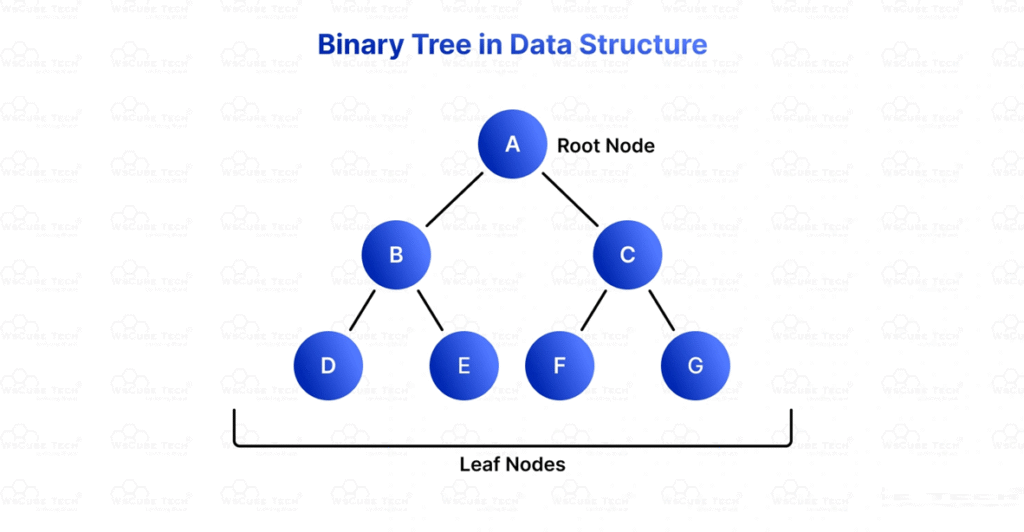
1. Binary Tree
Each node has at most two children:
- Left child
- Right child
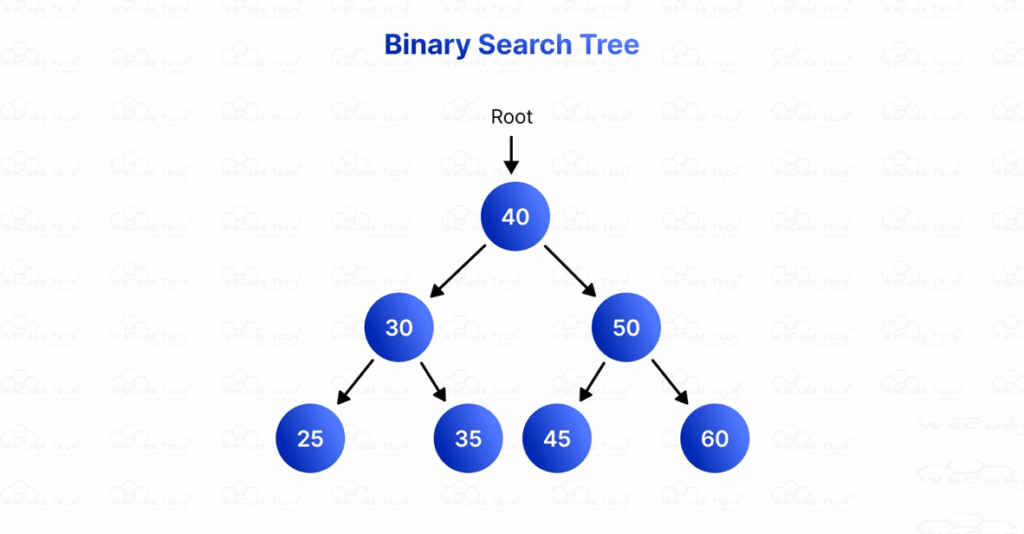
2. Binary Search Tree (BST)
- Left subtree contains smaller values
- Right subtree contains larger values
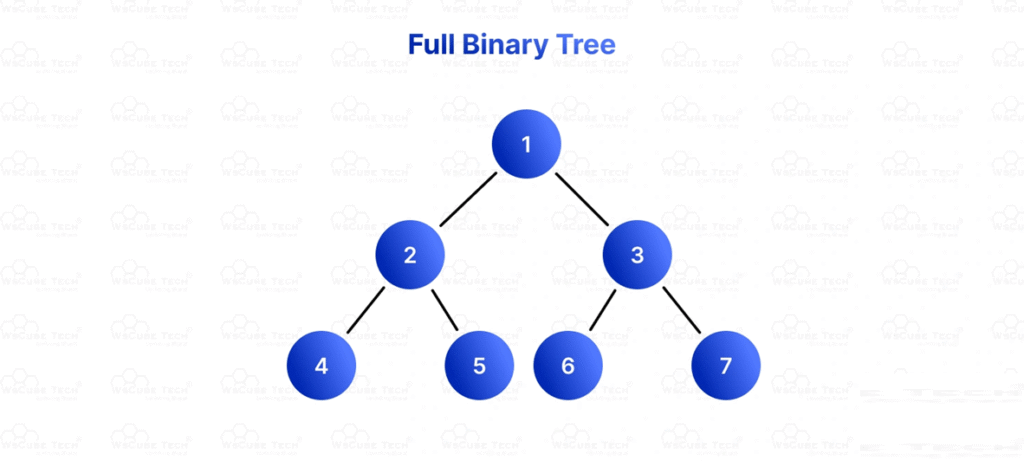
3. Full Binary Tree
- Every node has either 0 or 2 children
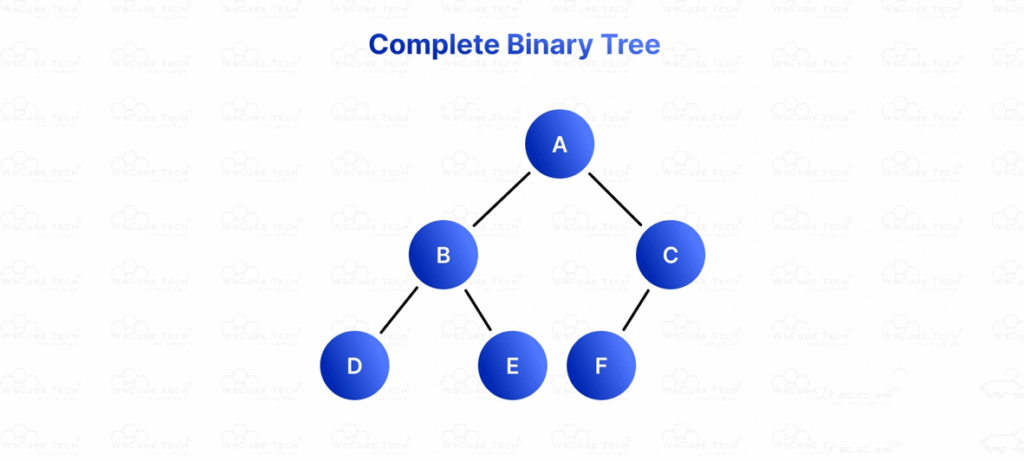
4. Complete Binary Tree
- All levels are completely filled except possibly the last
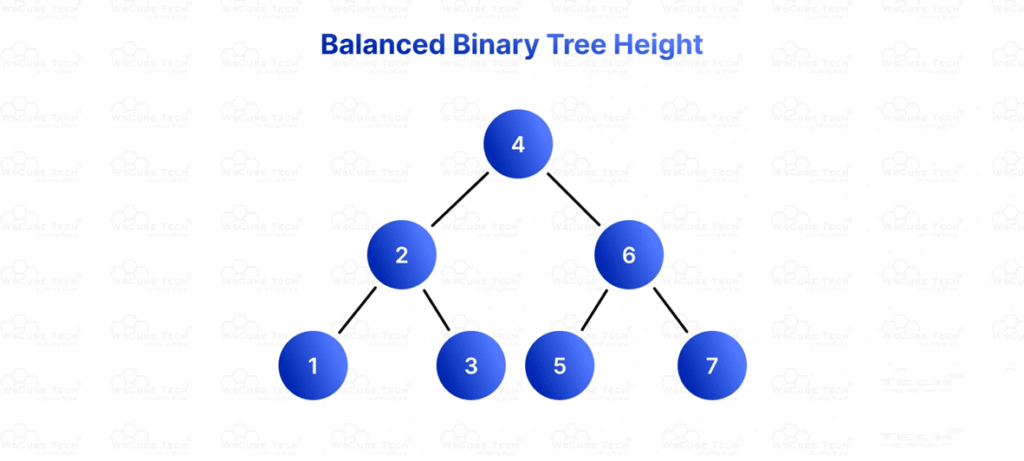
5. Balanced Tree
- Height is minimized for efficient operations
6. Tree Representation
Trees can be represented in memory using:
1. Array Representation
Used mainly for complete binary trees.
2. Linked Representation
Each node contains:
struct Node {
    int data;
    Node* left;
    Node* right;
};
7. Tree Traversal Algorithms
Traversal means visiting each node of the tree exactly once.
A. Depth First Traversal (DFS)
DFS explores as deep as possible before backtracking.
1. Inorder Traversal (Left → Root → Right)
void inorder(Node* root) {
    if (root == NULL) return;
    inorder(root->left);
    cout << root->data << " ";
    inorder(root->right);
}
2. Preorder Traversal (Root → Left → Right)
void preorder(Node* root) {
    if (root == NULL) return;
    cout << root->data << " ";
    preorder(root->left);
    preorder(root->right);
}
3. Postorder Traversal (Left → Right → Root)
void postorder(Node* root) {
    if (root == NULL) return;
    postorder(root->left);
    postorder(root->right);
    cout << root->data << " ";
}
B. Breadth First Traversal (BFS)
Also called Level Order Traversal, it visits nodes level by level.
#include <queue>

void levelOrder(Node* root) {
    if (root == NULL) return;

    queue<Node*> q;
    q.push(root);

    while (!q.empty()) {
        Node* temp = q.front();
        q.pop();

        cout << temp->data << " ";

        if (temp->left != NULL)
            q.push(temp->left);

        if (temp->right != NULL)
            q.push(temp->right);
    }
}
8. Applications of Tree Data Structures
Trees are widely used in real-world applications:
- File systems (hierarchical directories)
- Databases (indexing using B-Trees)
- Compilers (syntax trees)
- Artificial Intelligence (decision trees)
- Networking (routing algorithms)
9. Advantages & Disadvantages of Trees
✅ Advantages:
- Efficient searching and sorting
- Represents hierarchical relationships naturally
- Dynamic data structure
❌ Disadvantages:
- Complex implementation
- Requires more memory (pointers)
- Balancing can be difficult
10. Real-World Scenario
Consider a university management system:
- University (Root)
- Departments (Children)
- Courses (Sub-children)
- Students (Leaf Nodes)
- Courses (Sub-children)
- Departments (Children)
Traversal algorithms can be used to:
- Display all students
- Search for a specific course
- Analyze department hierarchy
11. Conclusion
Trees are a powerful and essential non-linear data structure used to model hierarchical relationships. Understanding their concepts, terminology, and traversal algorithms is crucial for:
- Algorithm design
- Software development
- Data science applications
Mastering trees builds a strong foundation for advanced topics like graphs, heaps, and machine learning models.
12. FAQs
Q1: What is the difference between a tree and a graph?
A tree is a special type of graph with no cycles and a single root node.
Q2: Which traversal is best?
It depends on the application:
- Inorder → Sorted output (BST)
- Preorder → Tree copying
- Postorder → Deletion
Q3: What is the time complexity of traversal?
All tree traversals have O(n) complexity.